
I can't code.
I built my own app.
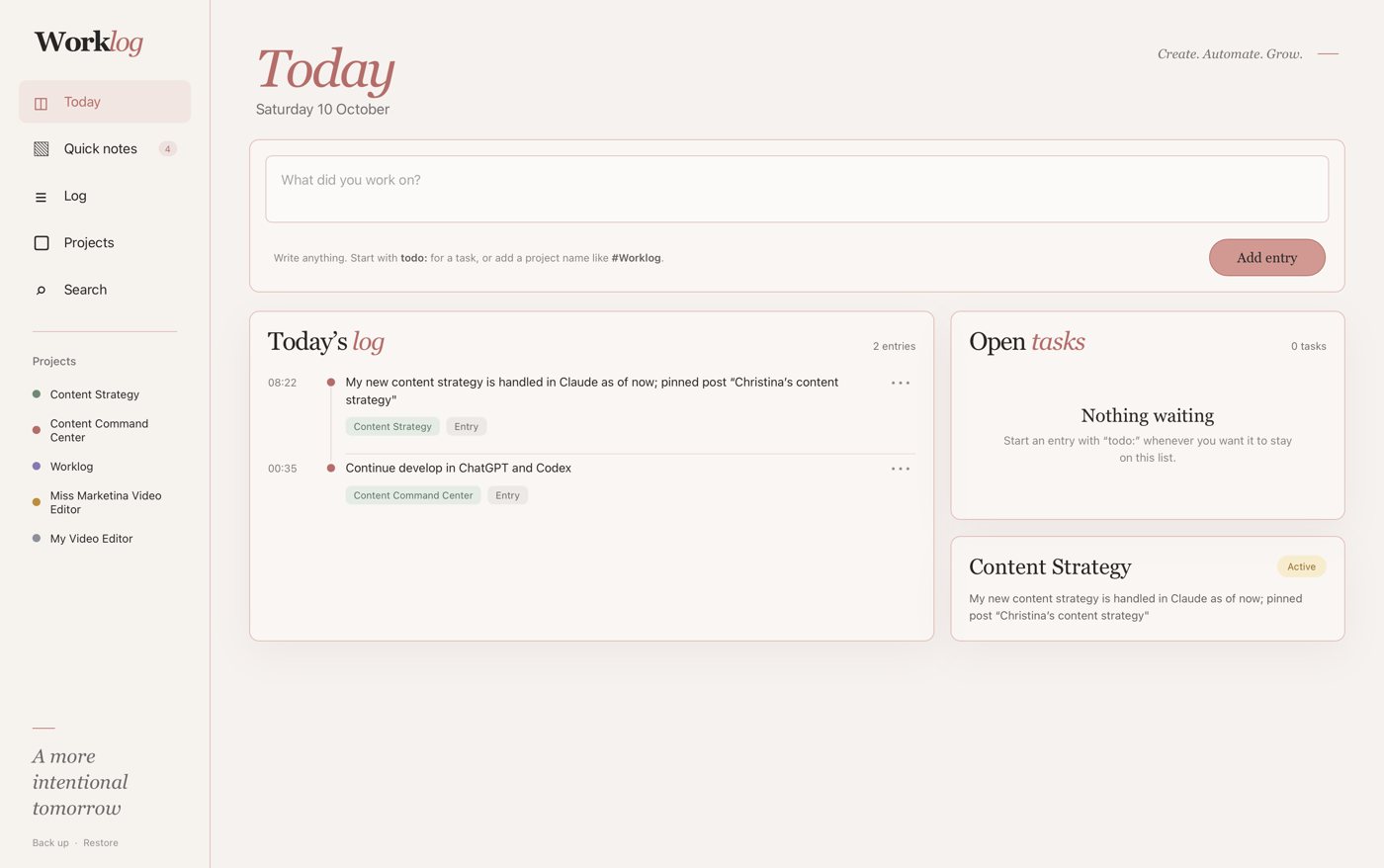
I kept losing track of my own work. What I built, where I stopped, what came next. My notes were in five different places. So I built one place for all of it. A simple work journal that sits on my Mac like any other app. Here is every prompt I used, in order. Copy them and build yours.
What I built
Worklog. My own work journal and to-do list in one.
Step by step
Eight steps. No code. Just plain English and a lot of "make it like this".
I built it with Codex, ChatGPT's coding tool. The same approach works in Claude Code.
Start with the problem, not the tool
Mine: I build things in Claude Code and Codex, and I kept forgetting where I stopped. I also had everyday business stuff I needed to find again later.
Write your problem down in plain words before you open any AI tool. That sentence becomes your first prompt.
Ask for the smallest version first
This is the most important prompt in the whole guide. It stops a simple idea from turning into a big, messy project.
I want to build a simple personal project log where I can quickly jot down what I've built in Claude Code and Codex, where I paused, my next steps, and other things I'll want to be able to look up later. I also want to be able to note down things that aren't related to Claude Code or Codex, just everyday tasks I do in my business that I need to write down so I can refer back to them. You could sum it up as a combination of a to-do list and a journal. The tool should be very simple and not turn into a complicated project. Help me first define the minimum viable version before we build anything.
Swap my details for yours. Keep the last sentence exactly as it is. That's the part that does the work.
What came back: a plan, not code. Four screens: Today, Log, Projects and Search. And a list of everything to leave out for now. No integrations. No notifications. No calendar sync. Those can wait until the simple version is a habit.
See it before you build it
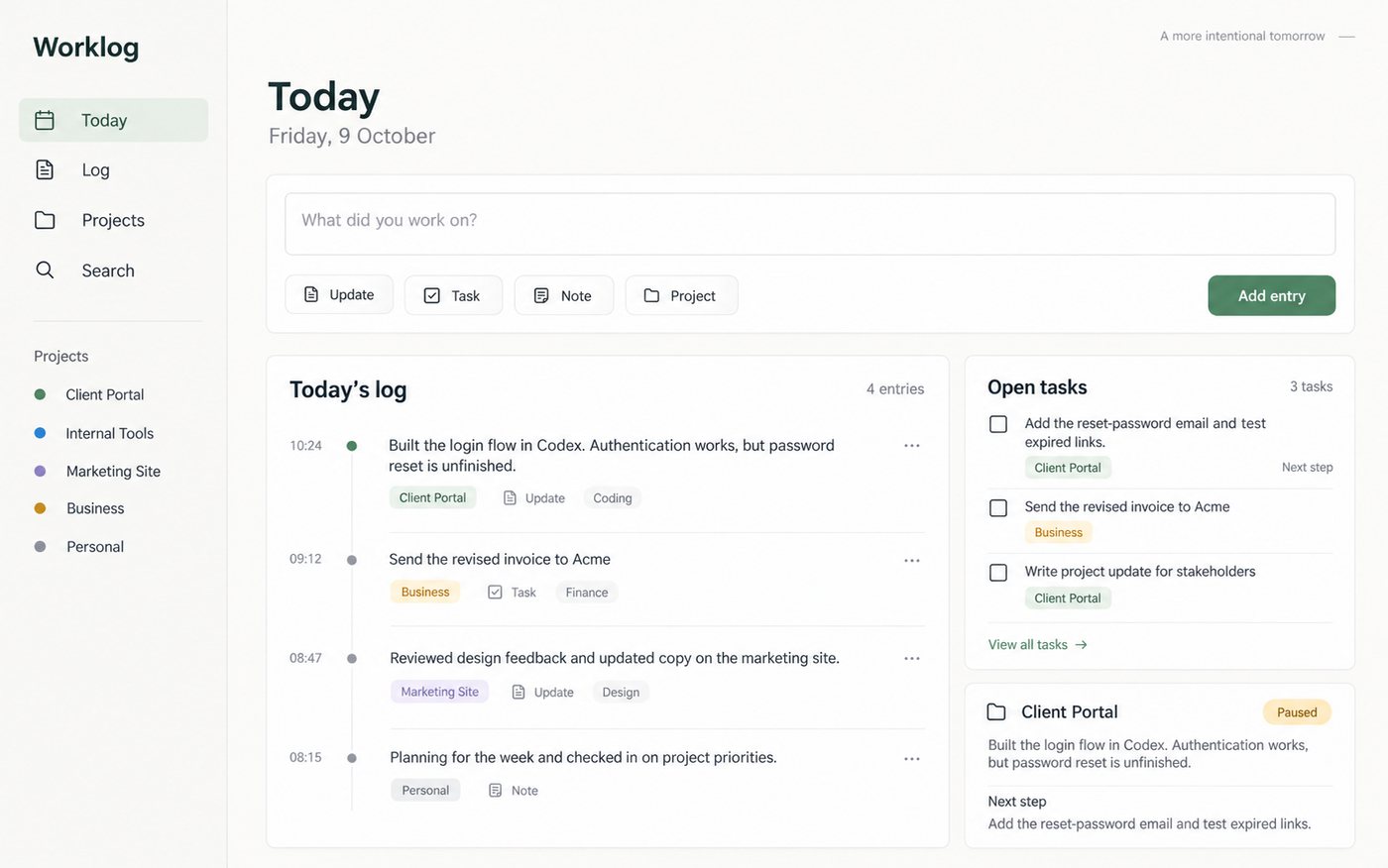
I'm a visual learner. I can't judge an idea from a description. I need to see it.
Can you make a visual image how this could look like?
Make it look like you
I like it but can you make an image in the same style as my website?
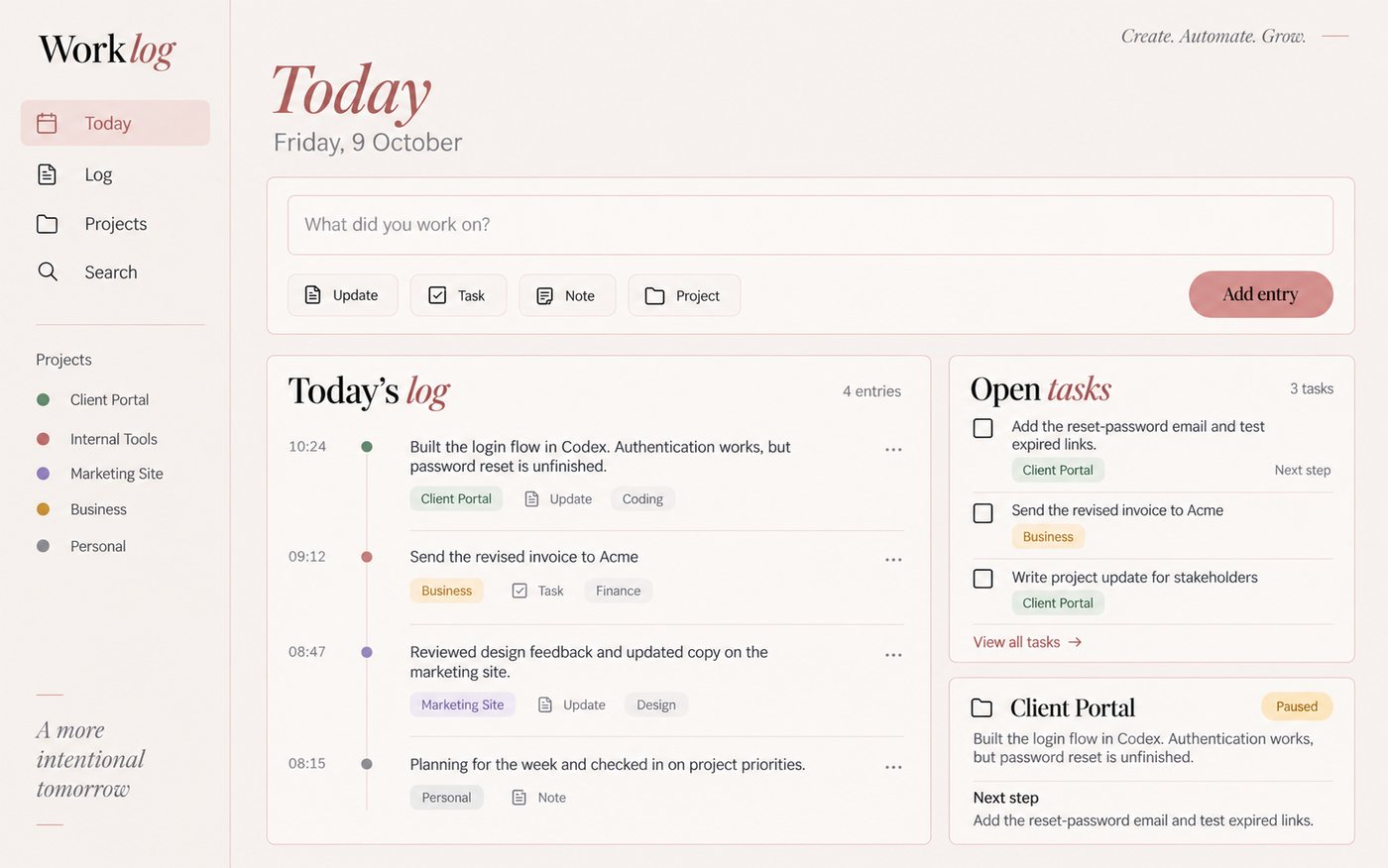
No website? Upload a screenshot of anything you like the look of, or just describe your colors.
Now build it
I like it. Let's build it. I just want to make sure that I can type in anything related to my business more or less so no complicated selections etc. I also want to have it like an app on my computer.
Don't skip the last sentence. "Like an app on my computer" is why I got a real Mac app with its own icon, not just a page in my browser.
Give it an icon
Can you help me design an icon?

Put it on your Mac
When it's done, Codex gives you a ZIP file with the app inside.
- Double-click the ZIP file to unzip it.
- Drag the app into your Applications folder.
- Open it. The first time, your Mac may ask you to confirm. That's because the app is yours, not from the App Store.
Every update: quit the app, then replace it with the new version in Applications. Your notes stay where they are.
On Windows? Ask for a desktop app for Windows instead, and follow the steps it gives you.
Improve one thing at a time
Use it for a day. Then add the one thing you miss. I love Post-it notes in real life, so I asked for those.
I want to add some kind of quick notes (I love Post-it notes in regular life).
Something broke? Describe what you see, not the code. Mine was: "I've logged three different #project notes but only the last one is visible under Projects." It found the problem and fixed it.
The free guides are the start. AI Creator Lab is where the training and the workflows behind them live.
Join the free communityThe real lesson
It's not about the app.
You don't need to know how to code. You need to know what you want, look at what you get, and say what to change.
Start small. Make it yours. Add one thing at a time. Then tell me what you built. I want to see it.

AI Creator Lab. Come when you are ready.
Join the free community →